Field notes Aug 26, 2026 12 min Chrome extension
No token,
no paste.
Testing an authenticated endpoint means copying a bearer token out of devtools and pasting it somewhere else. So I built an API client that runs inside the browser, where the session already is.
The paste that never ends
Every job I’ve had has involved poking at an endpoint that needs a login. Fifteen years of it. The routine has never once changed.
Open the app in Chrome. Sign in. Open devtools, Network tab, find a request that worked, right-click, copy the Authorization header. Switch to Postman. Paste. Send. Get what I need. Come back twenty minutes later, get a 401, and do the whole thing again because the token expired.
I did that for years without questioning it. It’s just what testing an authenticated endpoint costs.
Then it struck me how circular the whole thing is. The browser is already logged in. It already has the cookies. It already has the session. The only reason I’m copying anything is that my API client lives outside the browser and can’t see any of it.
So I moved the API client into the browser.
Curlew runs in Chrome’s side panel. It sits beside the app you’re testing instead of replacing the tab. Point it at a host you’ve granted, and it can send the request as that session.
There’s no account and no cloud sync. There’s no telemetry, and no server on my end, because I never built one. Requests, history, collections and variables live in IndexedDB in your browser. Uninstall the extension and all of it goes with it.
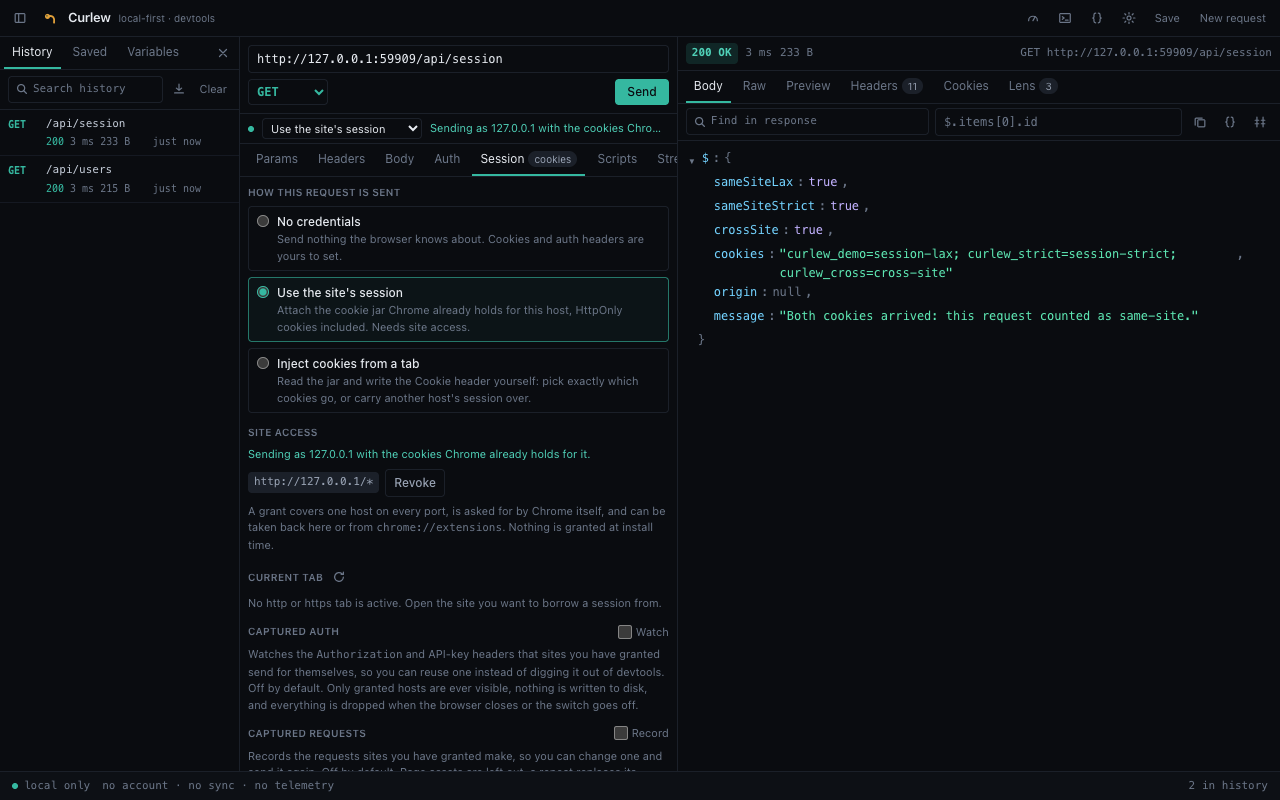
Two ways to borrow a session
There are two modes, and the difference between them took an embarrassing amount of testing to get straight.
Use the site’s session sends with credentials: 'include'. Once you’ve granted the host, Chrome counts the request as same-site, so the entire jar rides along — HttpOnly and SameSite=Strict cookies included. No external tool can do this, because no external tool is inside your browser. This is the path you want almost every time.
Inject cookies reads the jar with chrome.cookies and writes the Cookie header itself. It exists for three things the first mode can’t do:
- Choosing.
credentialsis all-or-nothing. Injection sends exactly the cookies you ticked, which is how you find out which one an endpoint actually needs. - Another host’s session.
credentialsonly ever sends the target’s own cookies. Injection can carry a shared auth domain’s session to an API living somewhere else. - Certainty. What goes on the wire is what the panel previewed, rather than that plus whatever the browser decided to add.
credentials is all-or-nothing: grant the host and the whole jar goes. Injection sends only what you ticked, which is how you find out which cookie an endpoint actually needs.For the first few weeks I was convinced injection was the only way to send a SameSite=Strict cookie, and I’d written that in the README as though it were established fact. Then I built the test suite that checks what the server actually receives, and it turned out a granted host already carries Strict cookies on its own. My headline reason for building the feature was wrong. The feature survived, because the three reasons above are real — but the framing changed rather than me quietly keeping the better-sounding story. Measure the thing. Your intuition about browser security rules is worse than you think.
Nothing is granted when you install it. The manifest ships with no host_permissions at all. You grant one host at a time, from a button, and Chrome raises its own confirmation prompt that no code of mine can answer. You can take it back from the same place, or from chrome://extensions.
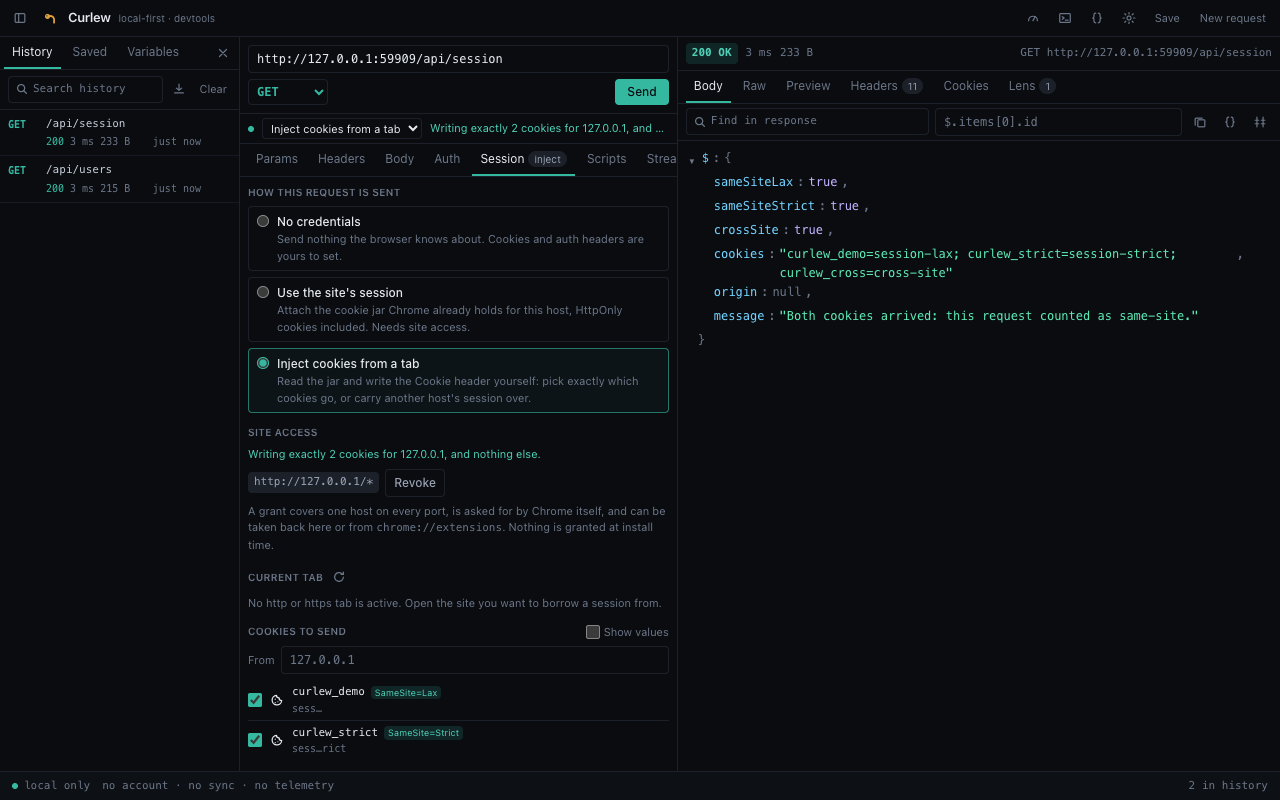
fetch refuses to set Cookie, so a single scoped declarativeNetRequest rule writes it and is removed the moment the request lands.
It still has to be a real API client
The session trick is the reason to install it. It would be worthless if everything around it were a toy, so I spent most of the build on everything around it.
Every method, including ones that aren’t in the dropdown. A URL bar kept in sync with a structured query-param table, so you can switch a param off without deleting it. Six body types: JSON with live validation, raw text, form-urlencoded, multipart with real files off disk, binary, and GraphQL with its own variables editor.
Six auth schemes, picked per request: Bearer, Basic, API key in a header or the query, OAuth 2 with PKCE, AWS SigV4, and generic HMAC over a string you describe.
Two notes on SigV4, since it was the fiddliest thing in the project. I wrote it out rather than pulling in the AWS SDK, which is enormous and expects a Node-shaped runtime. The algorithm itself is small; what makes it miserable is that every rule about ordering, trimming and percent-encoding has to be exactly right, and you get no clue at all when one isn’t — just a signature mismatch. It’s checked against five of Amazon’s own published test vectors. And Host is signed but never sent, because the browser sets it and won’t let an extension override it. Signing the value the browser is about to send is the correct thing to do; it took a while to convince myself of that.
Variables, environments, and a vault that isn’t theatre
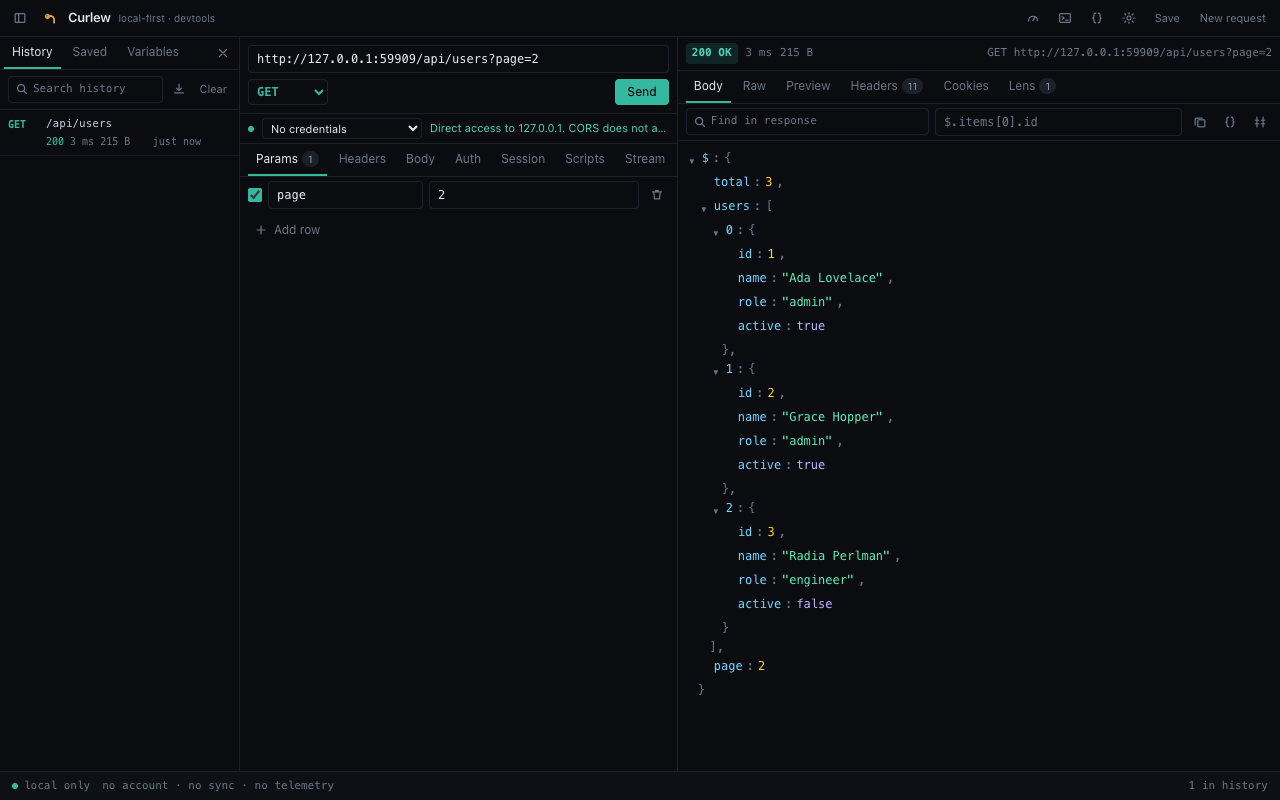
A request is stored as you wrote it — {{baseUrl}}/users, not whatever it resolved to last time — so the same saved request works against staging and production by switching environment.
Secrets need a passphrase, and that’s not a setting you can turn off. Encrypting with a key stored next to the ciphertext protects nobody, since anything that can read the database can read the key. So Curlew doesn’t offer that and call it encryption. The key comes from PBKDF2 at 600,000 rounds, is marked non-extractable, lives in memory only while the panel is open, and is never written anywhere.
One small decision I’m fond of: an unresolved variable stays as {{token}} and says so, rather than being substituted with an empty string. Silently sending Authorization: Bearer gets you a baffling 401 and half an hour of your life.
The part I didn’t expect to use most
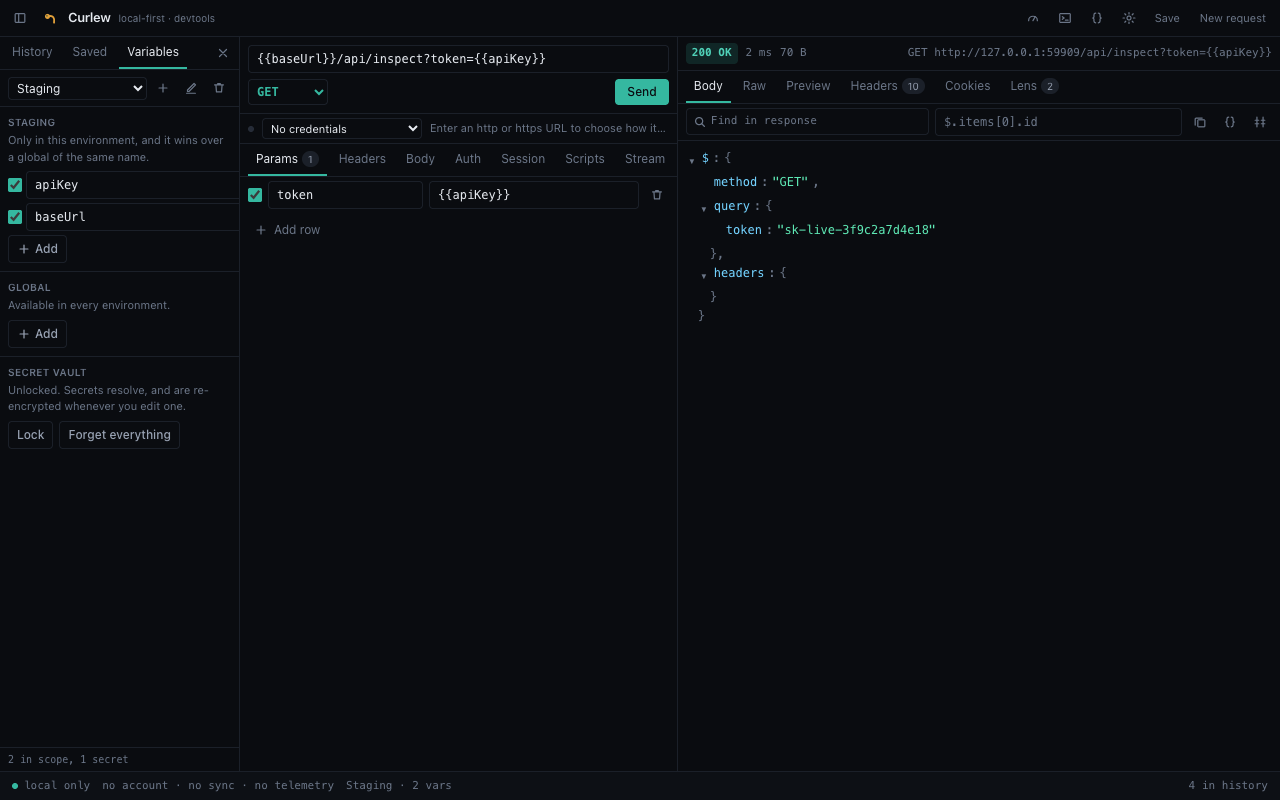
I built the response tooling as an afterthought, and now it’s half the reason I keep the panel open.
- Lens. Reads the response you already have for transport and CORS problems, cookie flags, caching, version disclosure, and credentials sitting in the URL or the body. It’s not a scanner and doesn’t pretend to be one — everything comes off one response, so it costs nothing and can’t be wrong about traffic it never saw.
- Types. The body as a TypeScript interface or a Zod schema. A field that’s missing from some array elements comes out optional instead of being assumed away.
- Diff. Against any earlier response. Values are walked rather than text-compared, so a reordered object isn’t a change — and a reordered array is.
- Latency. The same request many times, reported as median, p95, p99 and a histogram. One sample tells you almost nothing, which is a thing fifteen years of performance work has beaten into me.
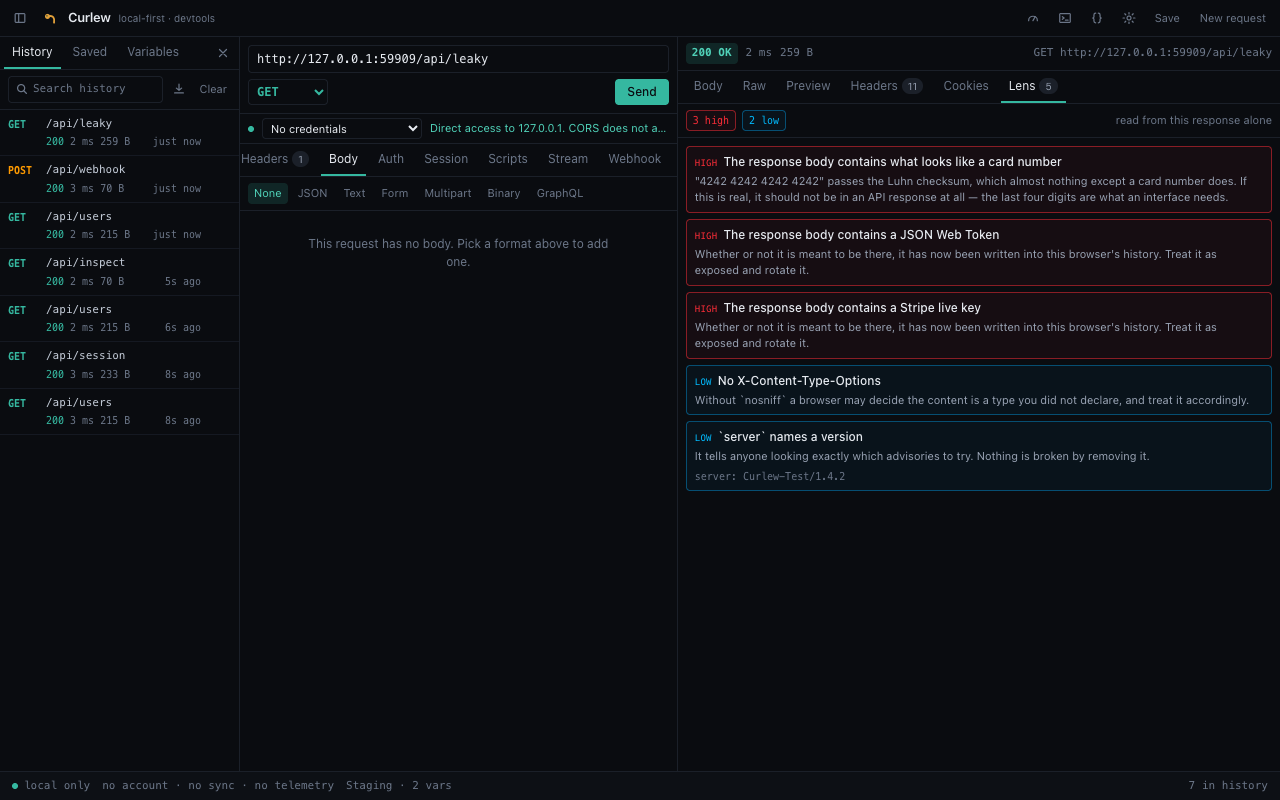
Connections that stay open
Not every endpoint answers once and hangs up, and this is where a lot of API clients quietly stop.
Server-sent events are read with fetch, not EventSource. EventSource can’t set a single header, which rules out every authenticated stream that exists. Reading the body as a stream costs you the automatic reconnect and gains you bearer tokens, borrowed sessions, {{variables}}, and a visible failure when the endpoint hands back an error page instead of a stream.
I wrote the SSE parser out rather than borrowing one, because chunks arrive split in genuinely awful places — mid-line, and between a carriage return and the newline that belongs to it. There’s one deliberate departure from the spec: an event still buffered when the server hangs up gets delivered rather than discarded. A tool whose entire job is showing you what the endpoint said shouldn’t eat the last thing it said.
A browser WebSocket can’t send an Authorization header. There’s no API for it, at all. Rather than let the handshake fail with nothing to go on, Curlew says so in the transcript and tells you the token has to travel in the query string or a subprotocol. Same principle for a refused upgrade: a close with no open before it is not the server ending your connection, and it reads very differently.
There’s also a webhook sender that signs a body the way GitHub, Stripe, Slack or Shopify expect it. The alternative is triggering a real event upstream and waiting, or switching the signature check off.
A handler tested with its signature check off is a handler whose signature check has never been tested.
Every scheme signs the exact bytes that go out rather than a re-serialised object, which is the usual reason a webhook verifies in a provider’s dashboard and fails against your own endpoint.
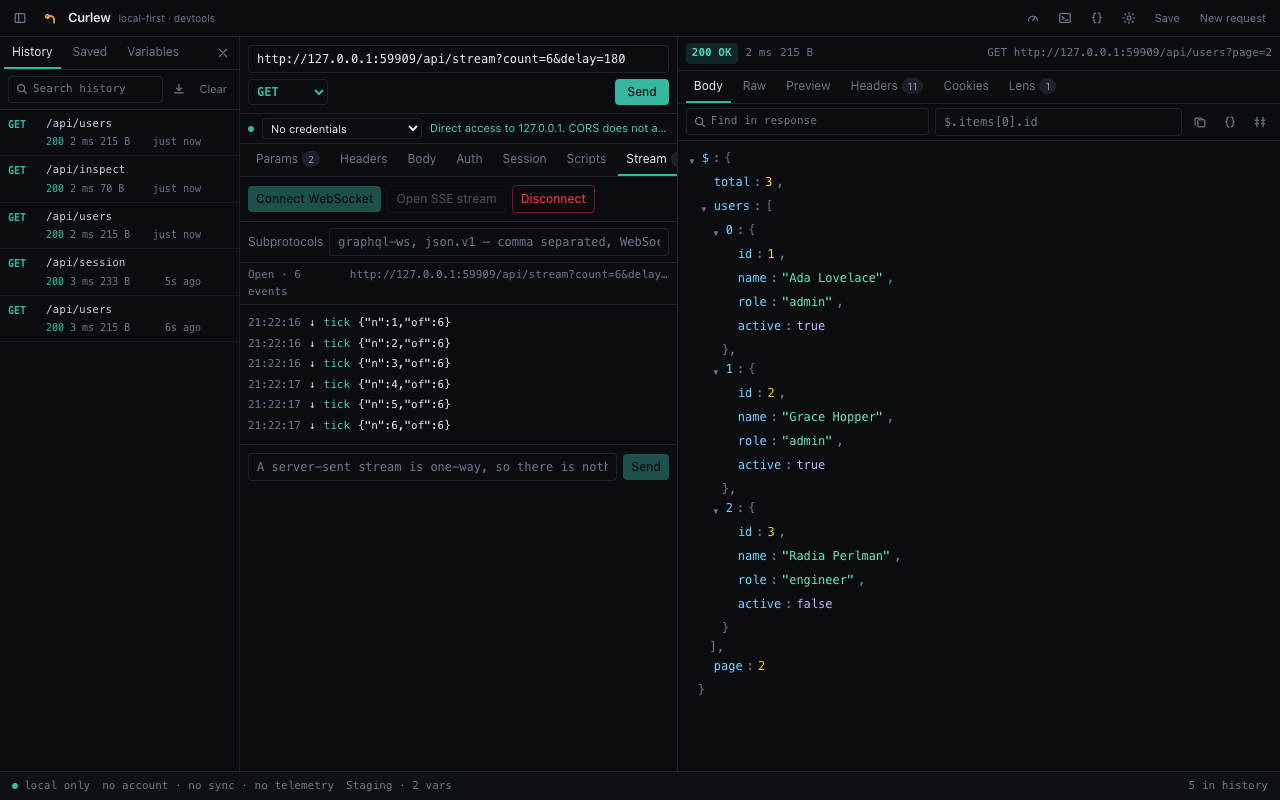
From the panel into a load test
This one is straightforwardly selfish. My day job is performance and reliability engineering, and the request I’ve just proved by hand is exactly the request I want in a load test. Retyping it into JMeter’s GUI is precisely where mistakes get introduced.
cURL, fetch, axios, Python requests, Go’s net/http, a complete JMeter test plan, and a LoadRunner Action(). The body goes out as a string and is never re-serialised — data= in Python rather than json= — because a signed request whose body gets pretty-printed on the way out stops verifying, and that is a miserable bug to hunt.
Every generator is checked against a real parser rather than a string comparison: the JMeter XML gets parsed, the Python gets compiled, the Go goes through go vet, the JavaScript through node --check. A generator tested against a golden string will happily emit something that doesn’t compile.
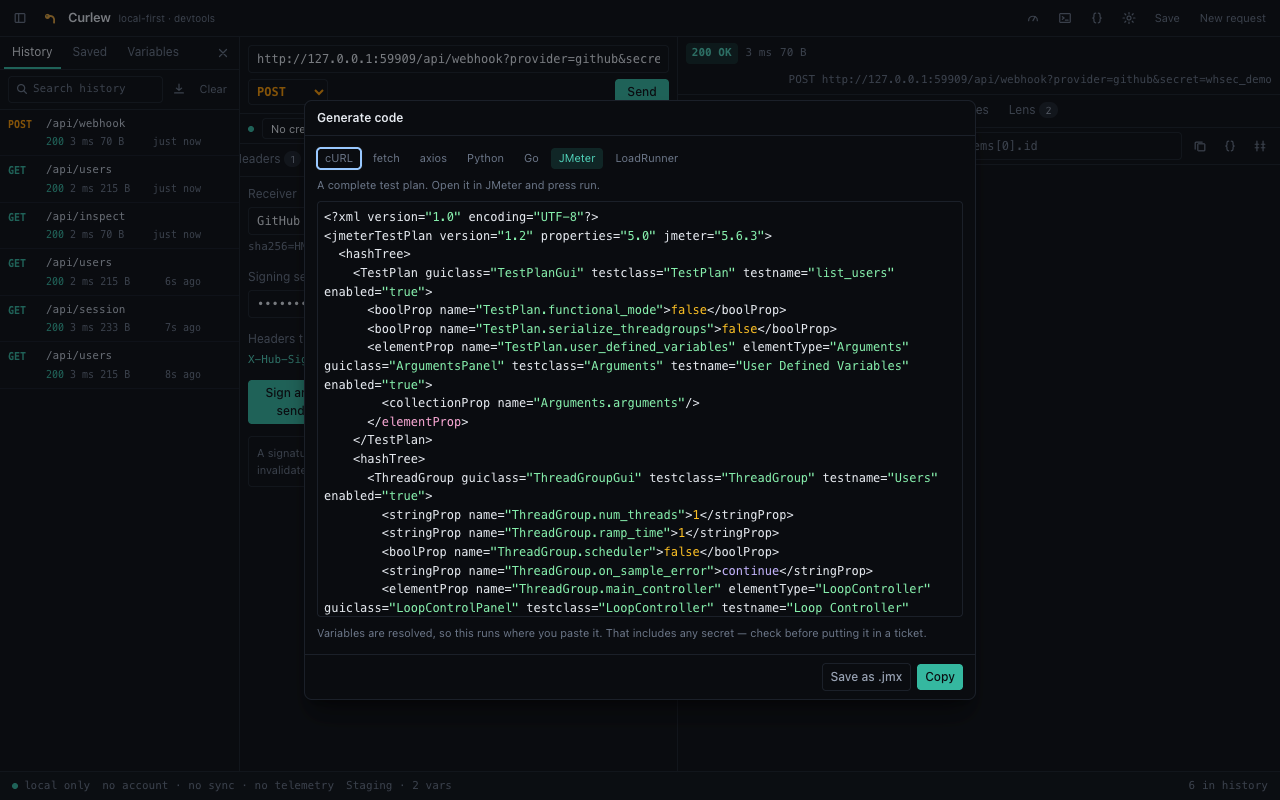
.jmx plan rather than a bare sampler, so it opens and runs.
What it costs you
Every tool has a bill. Here’s Curlew’s, plainly.
- No sync means no team. This is the real one. There’s no shared workspace, because a shared workspace needs a server and a server is the thing I deliberately didn’t build. You can export a collection as Postman or
.httpand someone can import it, and that is a worse answer than a shared workspace. If your team lives in one, stay there. - Nothing is backed up. IndexedDB is one browser profile on one machine. Export the things you’d be sad to lose.
- The browser sets the rules. Some headers can’t be set by an extension, so they get dropped with a warning instead of silently.
Hostis the browser’s. WebSockets can’t carry an auth header. I can explain those; I can’t fix them. - A grant is real power. Handing an extension the ability to read your cookies for a host is not nothing, and I’d rather say that out loud than bury it. Which is why nothing is granted at install, why it’s one host at a time behind Chrome’s own prompt, and why the first run opens with a plain statement of what the thing does before it has done any of it.
So what do you actually get
Copy a bearer token out of devtools, paste it into another app, repeat when it expires
Grant the host once and send as the session you’re already signed into
Guess which cookie an endpoint needs by deleting them one at a time
Tick the ones you want and see the exact header before it goes
Give an API client an account, and your requests, and your keys
No account, no server, no telemetry — everything sits in your own browser
Keep an API key in plaintext in a workspace file that syncs somewhere
AES-GCM behind a passphrase that is never stored anywhere
Test a webhook handler with the signature check switched off
Send a properly signed body for GitHub, Stripe, Slack, Shopify or plain HMAC
Skip SSE because your client can’t authenticate a stream
Streams get the same auth, session and variables as everything else
Retype a working request into JMeter by hand
Generate a runnable .jmx plan or a LoadRunner action from it
Average three response times and call it a latency number
Send it fifty times and read the p95 and the p99
On testing a thing like this
The bit I’d defend hardest isn’t a feature.
npm run verify loads the built extension into a throwaway Chrome profile and puts it through 188 checks against a real server. The service worker starts, IndexedDB is created, no origin permissions were granted at install — and then it drives the actual UI: sends a GET and a JSON POST, filters with JSONPath, provokes a 500 and an unreachable host, uploads a real file in a multipart body, follows a 302, cancels a request mid-flight, re-runs one from history. A second run adds 22 more checks on the far side of a host grant, where the interesting session behaviour lives.
Signatures are never checked against Curlew’s own output. A self-consistent signer that implements the wrong scheme passes every test it writes for itself and fails against the only thing that matters. GitHub’s and Slack’s worked examples come from their own docs; the rest were computed with Python’s hmac; and the test server verifies each one with Node’s crypto, written against the provider docs rather than against my signer. Then it re-sends with the wrong secret and checks it gets rejected.
A check that only ever sees a pass proves nothing. That suite is also how I found out I was wrong about SameSite — which is the best argument for writing it that I have.